Build Your Own Custom Payment Gateway Add-On

Connect any payment gateway, create specialized workflows, and unlock unlimited payment possibilities with Paymattic.

Build Your Own Custom Payment Gateway for Paymattic

What is a Custom Payment Gateway
Add-On for Paymattic?

A custom payment gateway add-on extends Paymattic’s core functionality by integrating payment processors that aren’t available out of the box.

Whether you need to support a regional payment provider, comply with specific industry regulations, or create a specialized payment workflow, custom add-ons give you complete control.

Why Build Your Own Custom Payment Gateway for Paymattic?

Built-in payment gateways are not enough if your business or nonprofit needs a payment gateway that is not available in Paymattic. Then just build one.

Add Your Regional Payment Gateways

Integrate your local payment gateways and scale up your business or nonprofit. Comply with regional regulations and offer payment methods popular in your specific market.

Create Your Specialized Payment Flows

Change the way you take payments from your donors or customers. Implement your preferred payment method functionalities with a custom payment add-on for Paymattic.

Own Your Payment Method Infrastructure

Take complete ownership of your critical transaction pathway, eliminating reliance on third-party plugin developers for updates, security patches, or feature requests.

Generate Revenue Opportunities

Develop a specialized payment add-on to serve a niche market that current Paymattic solutions don’t cover. This creates a new product you can package and sell to others.

Gain Technical Advantages Over Stock Payment Methods

Stock integrations are often limited to common API endpoints, but a custom build allows you to use advanced, proprietary features offered by your chosen gateway.

Enhance Your Brand Awareness & User Experience

Your custom payment gateway add-on ensures your entire checkout process is seamless, maintaining consistent branding without sending users to a generic external gateway.

How to Build Your Custom Payment Gateway for Paymattic?

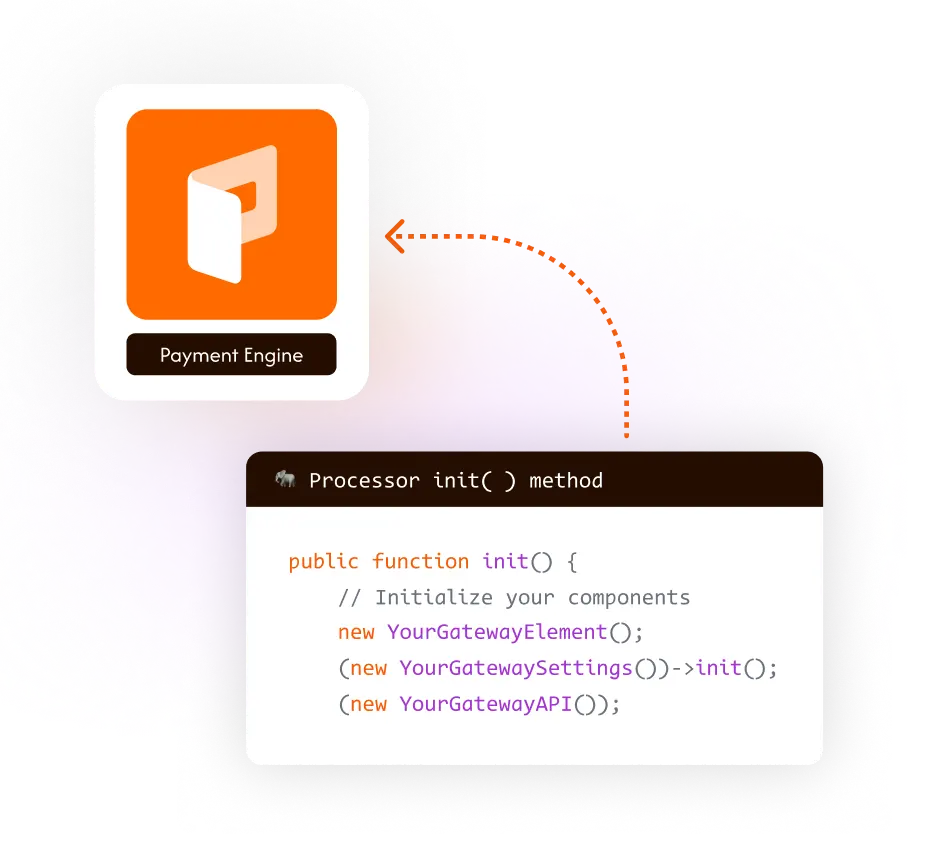
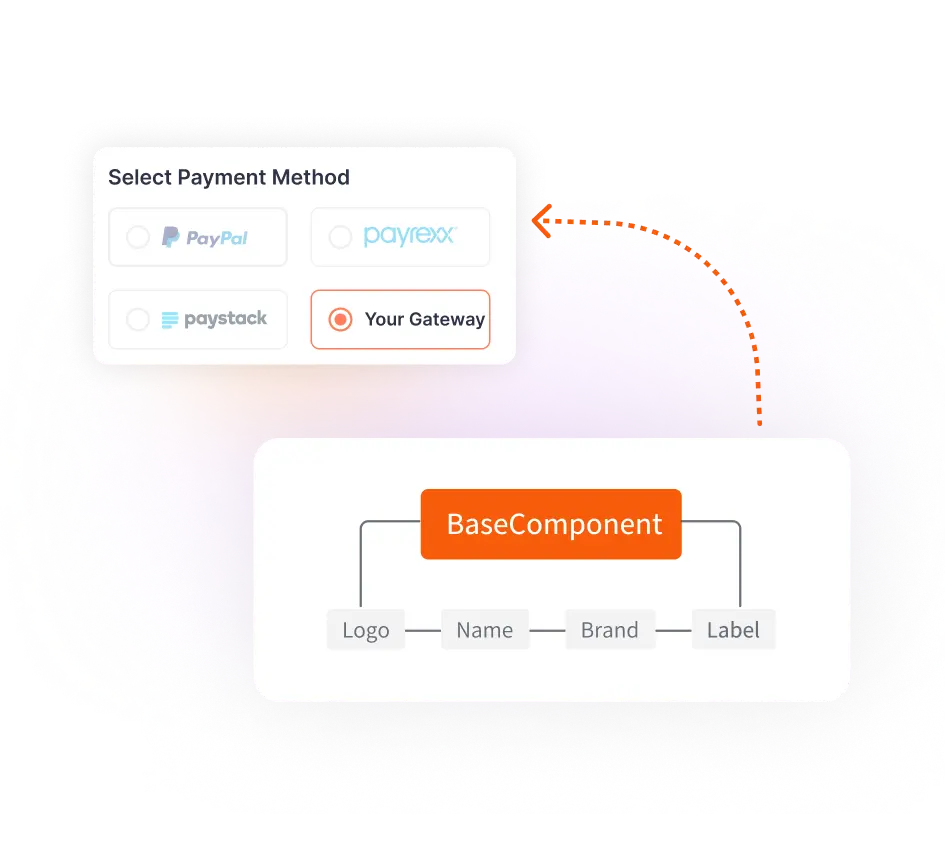
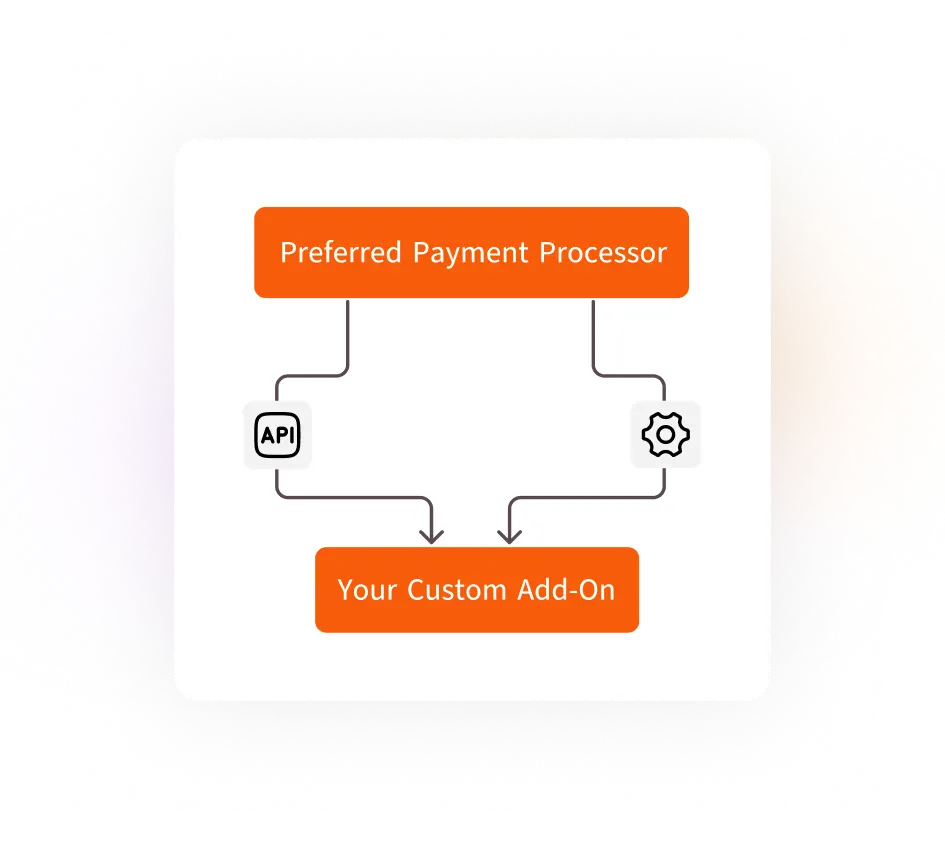
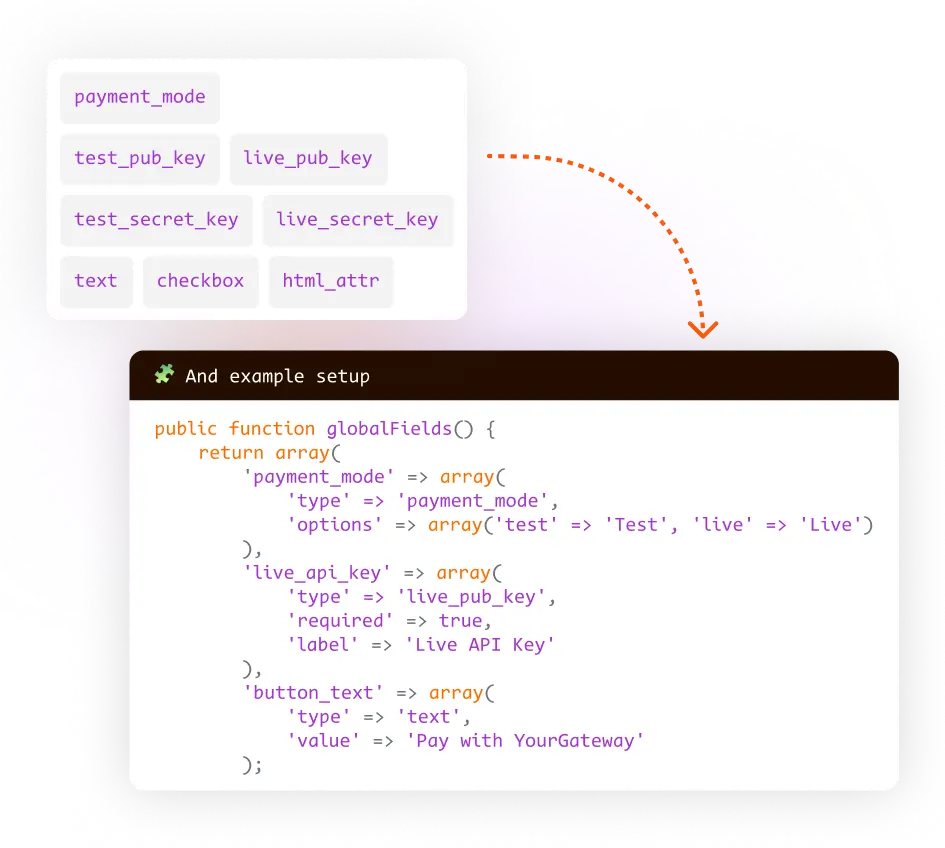
Six simple step-by-step procedure that any developer will understand and implement within an hour.

Frequently Asked Questions

The process is designed to be straightforward and faster than building from scratch. Paymattic provides a solid, developer-friendly architecture with clear hooks and a base framework. You primarily focus on connecting to your chosen payment processor’s API, not on building the entire payment infrastructure, which significantly simplifies the effort.

No. One of the core advantages of integrating via Paymattic is that you can leverage secure tokenization and hosted fields provided by modern payment processors (like Stripe, for example). This means sensitive card data never touches your server, drastically reducing your PCI compliance scope and security burden.

For a developer familiar with WordPress and PHP, a functional, basic custom add-on that connects to a third-party API can often be implemented in just a couple of hours. For example, our team built the Mollie payment gateway add-on under an hour.

Paymattic offers extensive and clear documentation, including dedicated guides and code examples outlining the exact hooks and class structures needed for a custom payment gateway add-on. You’ll find the necessary resources and live examples from the attached guide.

The process being easy is key for you. Because the Paymattic framework is so well-defined, you can hire a freelance WordPress or PHP developer and drastically reduce their estimated time and cost.

Absolutely! Paymattic’s custom gateway architecture fully supports recurring payment models. You just need to ensure the third-party payment processor you are integrating with also offers subscription or recurring billing services through its API.

Yes, seamlessly.
By utilizing the official Paymattic developer framework, your custom gateway automatically feeds transaction data back into the main plugin. This ensures your customers still benefit from the dedicated dashboard and that you can track all payments using Paymattic’s built-in analytics and reporting tools.

Yes. Of course.

Whether you are using the free Paymattic plugin or the pro plugin, our support portal is always open for you. Feel free to contact our support engineers with any problems you are experiencing.