

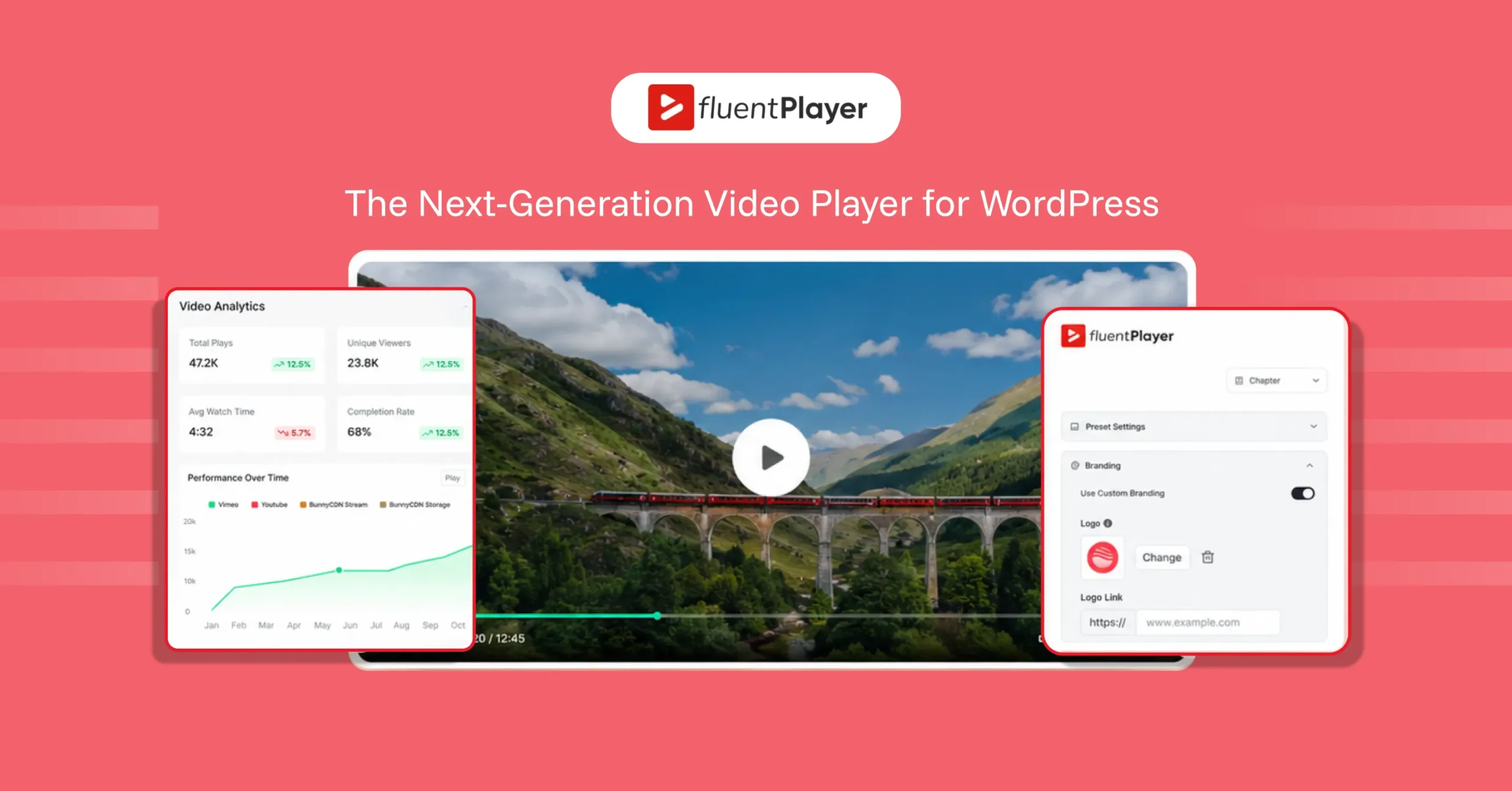
Introducing FluentPlayer: The Next-Gen Video Player Plugin for WordPress


Table of Content
Download Paymattic – it’s Free!
Subscribe To Get
WordPress Guides, Tips, and Tutorials
We will never spam you. We will only send you product updates and tips.
Basic YouTube and Vimeo embeds are fine for hosting a clip, but they were never built for control, engagement, or conversion on your site. If you’re a creator publishing content, an educator running courses, a marketer chasing leads, or an agency delivering for clients, your video should do more than just play.
That’s the gap FluentPlayer closes.
Built by WPManageNinja (trusted by 1.6M+ businesses), it’s a next-generation video player that drops into your existing WordPress setup and turns ordinary embeds into branded, interactive, conversion-ready experiences.
The good news is that FluentPlayer’s EarlyBird Deal is live. You can grab it now.
TL;DR
What does FluentPlayer do?
FluentPlayer is a next-generation video player plugin for WordPress. In plain terms, it takes the videos you already host, whether self-hosted or on YouTube, Vimeo, BunnyCDN, or MUX, and wraps them in a single, branded player you fully control.
On top of standard playback, it lets you add interactive layers like forms, CTAs, and email capture, organize content with playlists and chapters, and track exactly how viewers engage through built-in analytics.
Here’s what that means for you:
- Creators keep audiences watching with playlists, chapters, and resume playback, then convert that attention into subscribers using in-video CTAs and email capture.
- Educators deliver clear, easy-to-follow lessons with chapters and subtitles, while resume playback lets students pick up right where they left off.
- Marketers turn views into leads and sales with interactive forms, CTA overlays, and analytics that show exactly where viewers drop off.
- Agencies apply custom branding and reusable player presets to deliver a consistent, premium video experience across every client site.
Here is the breakdown of the key features and what each one does for you.
Take full control of video playback
Define how videos behave on the page, across devices, and during playback.
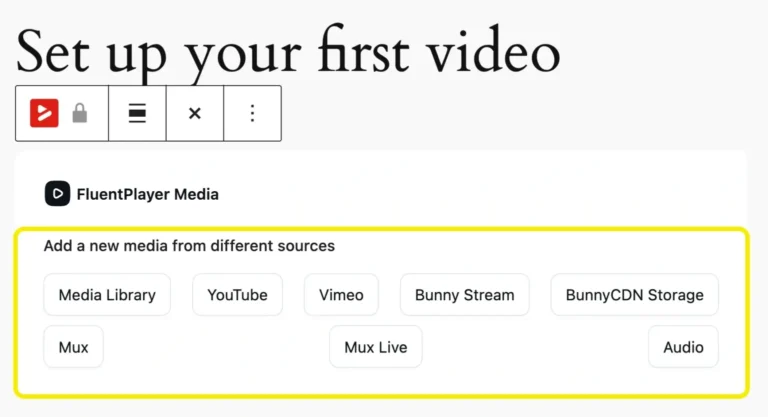
Multiple media sources
No need to juggle different players for different sources. With FluentPlayer, embed self-hosted videos, YouTube, Vimeo, audio files, and more, with consistent playback behavior across every source. One player for your entire library.
Customizable player presets
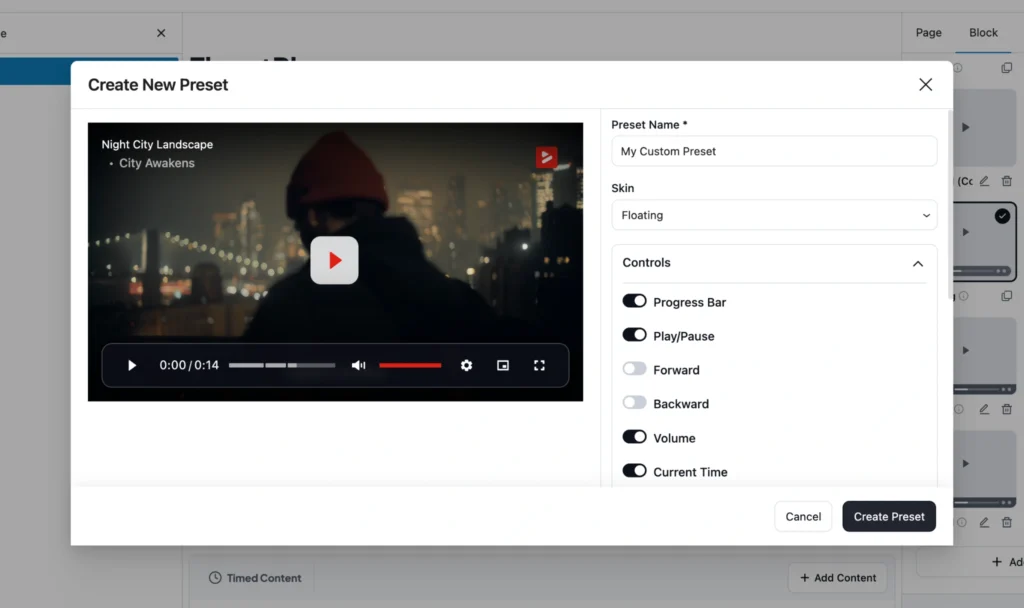
Stop rebuilding settings for every video. Save your own presets and reuse them across pages and videos. Consistent behavior, far less repetitive setup. A real time-saver for teams and agencies.
Remember the playback position
Videos remember where viewers stopped and let them continue from the same point when they return. Perfect for tutorials, long lessons, and multi-session content.
Additional playback features
- Autoplay (muted or with sound)
- Play inline on mobile (avoid forced full-screen)
- Picture-in-picture
- Speed control (0.5x to 2x)
- Progress bar
- Poster image + aspect ratio controls
- Title overlay + logo overlay
- Shortcodes + flexible load strategy
Make videos easier to follow and finish
With FluentPlayer, make your long videos and playlists easier to follow, easier to complete, and less frustrating to navigate.
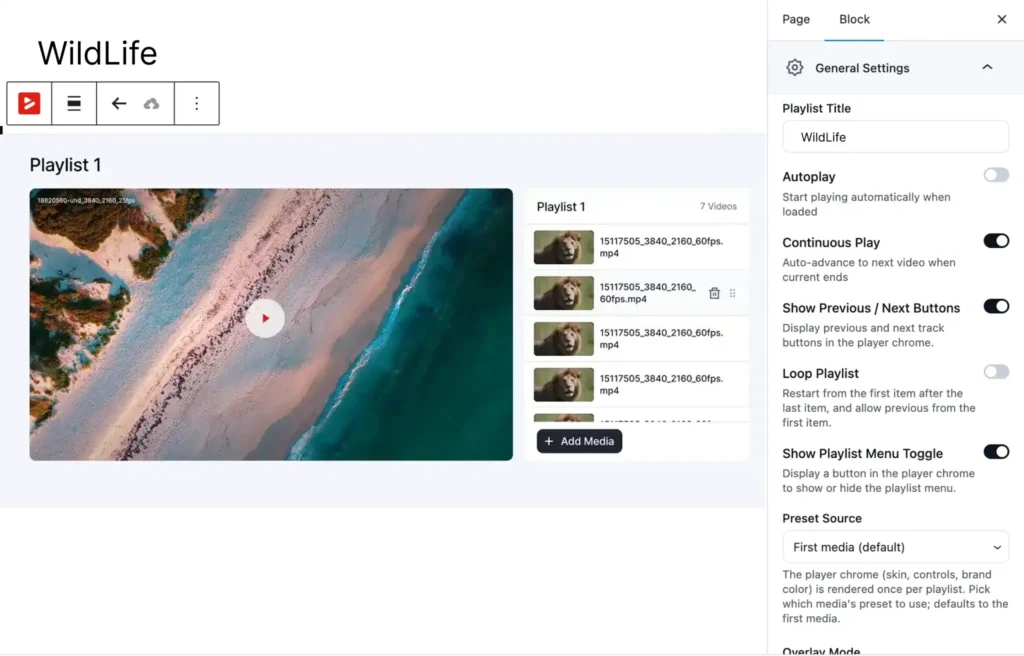
Video playlist
Organize multiple videos into structured playlists with autoplay and resume controls, so viewers move through a course module or content series without ever leaving the page. Set up the layouts in “Standard list” or “Grid view.”
Track viewing progress across videos; ideal for courses, onboarding sequences, tutorial series, and content libraries.
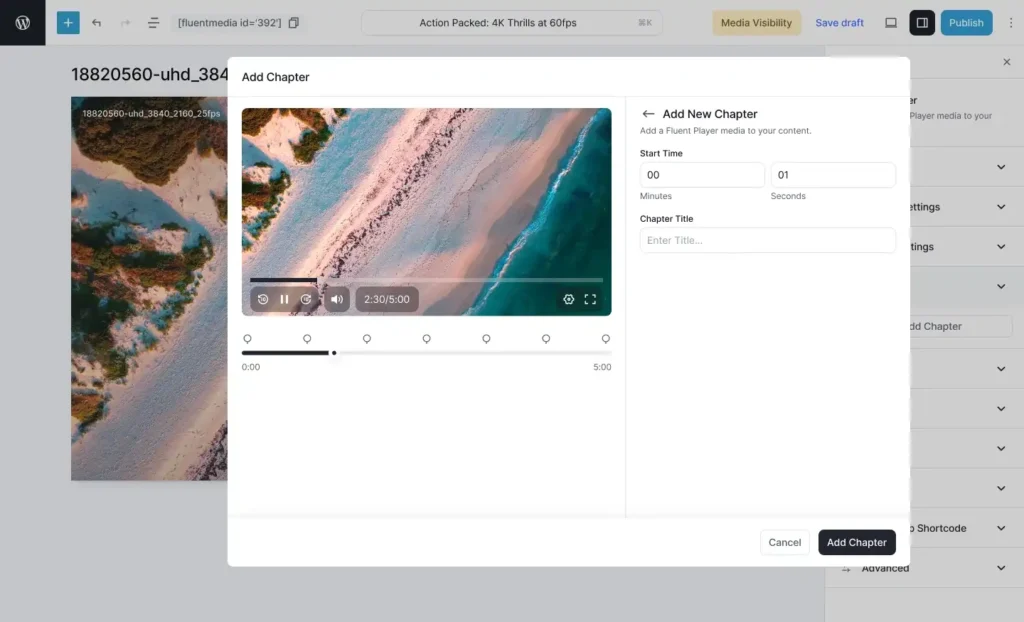
Video chapters
FluentPlayer lets you label video chapters so students can jump straight to the section they need. “Intro,” “Setup,” “The core technique,” “Common mistakes”; you can break the whole lesson into several small chapters.
Lower friction means higher completion rates, and completion is what turns a buyer into a graduate who leaves a five-star review and buys your next course.
Subtitles & language switching
Attach multiple caption tracks and let viewers switch languages right from the player: instant accessibility and a global audience without re-uploading a thing.
One video can serve multilingual audiences without doubling production work.
Turn videos into conversion tools
Turn video from passive playback into an active experience that captures leads, drives action, and measures results.
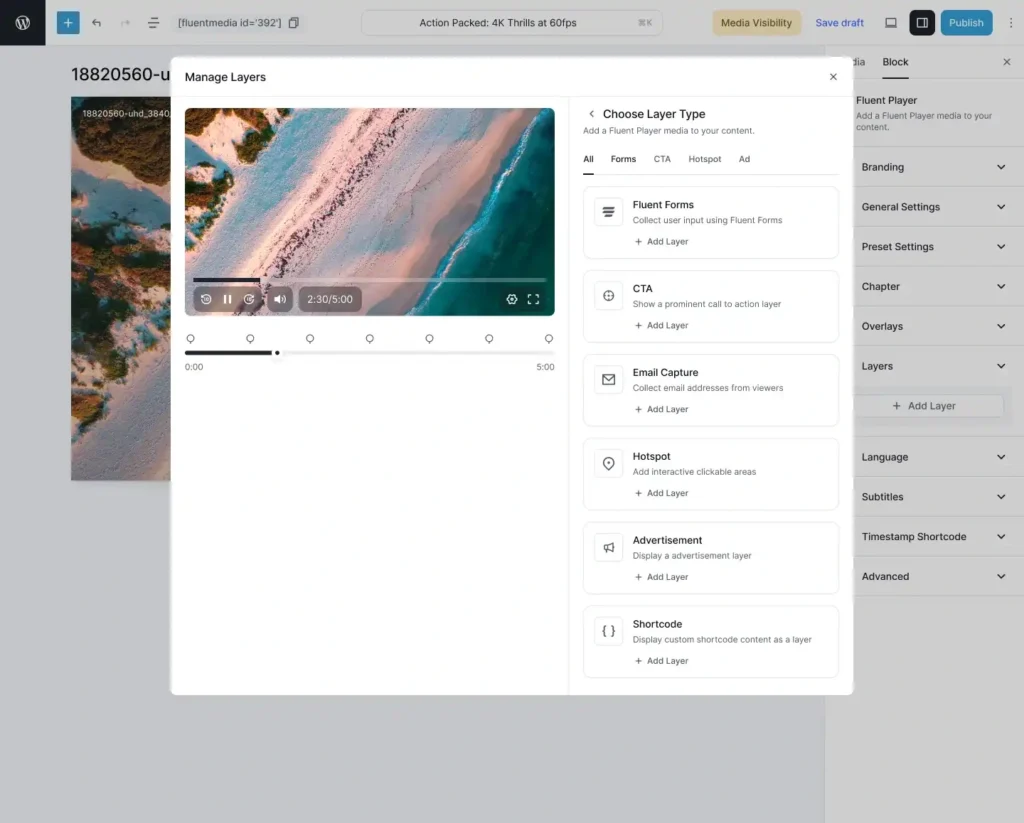
Interactive layers
Add forms, CTA banners, ads, hotspots, email capture, and shortcodes directly on top of the video.
Capture a lead, drive a click, or pitch an offer at the exact moment attention peaks. This is the single biggest reason marketers and creators should reach for FluentPlayer.
Custom branding
FluentPlayer lets you add your logo and brand colors to every player, consistently across your site. So every lesson looks like a deliberate part of your program rather than a random embed.
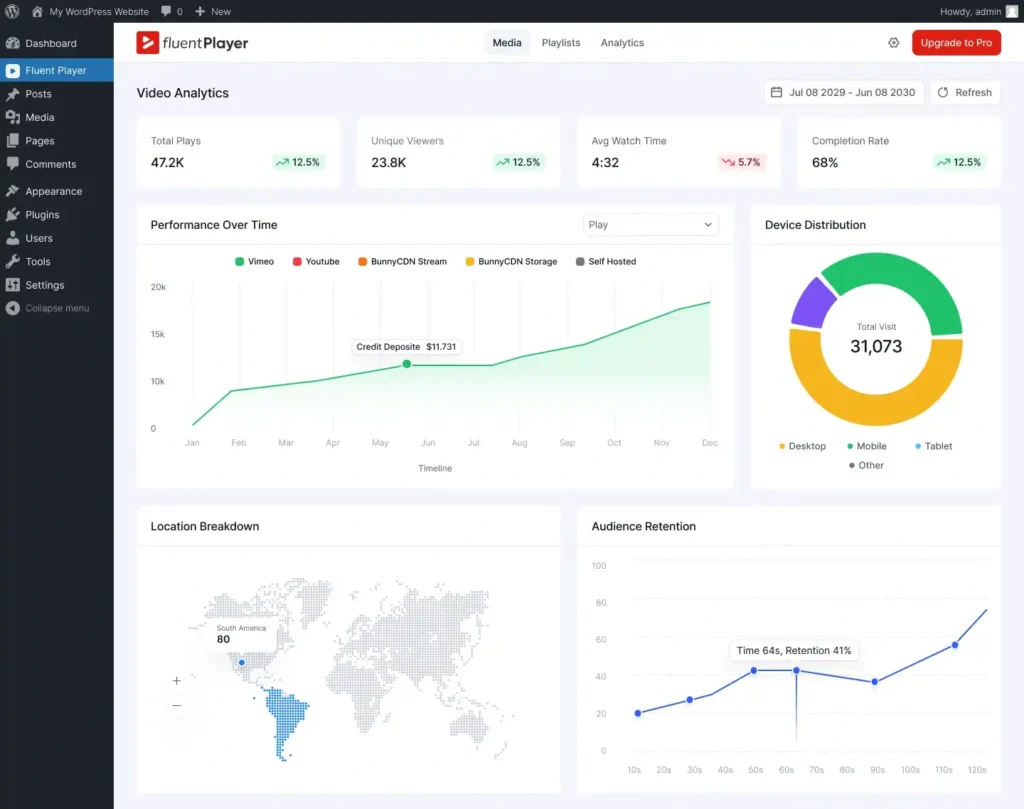
Video analytics
With the video analytics feature, you can track how exactly your videos are performing. Views, drop-offs, unique viewers, and engagement over time.
You can track:
- views and unique viewers
- drop-offs
- watch time and trends
- engagement over time
- top-performing videos
- top viewers
- audience retention signals
- device distribution + performance over time
- export options and GA4 connectivity for deeper analysis
It helps you stop guessing, see what people actually watch, and start optimizing the moments that actually lose your audience.
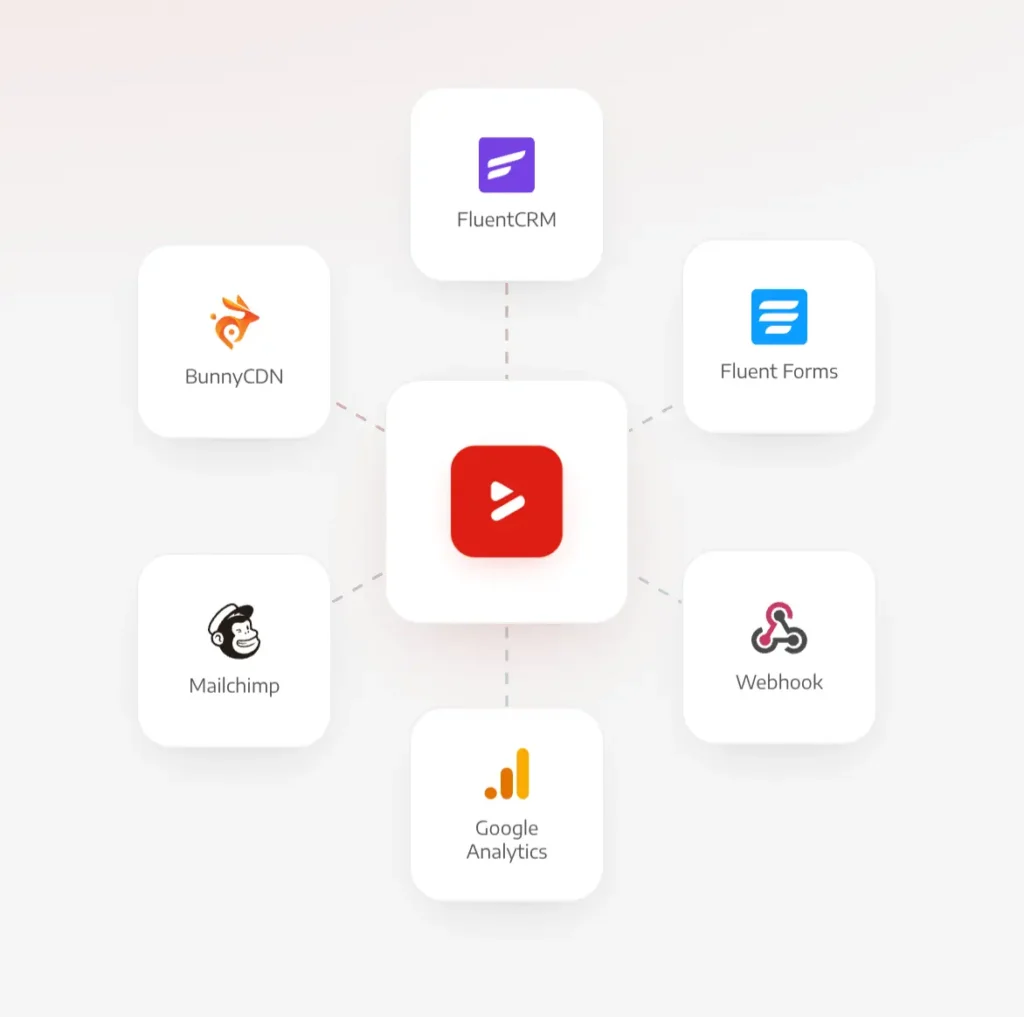
Connect FluentPlayer with the tools you already use
FluentPlayer plugs video engagement directly into your existing stack, so views automatically turn into actions.
Hosting & delivery
YouTube (Free): Play YouTube-hosted videos through FluentPlayer’s controls, presets, and interactive layers.
Vimeo (Free): Bring Vimeo videos into one consistent player with your branding and overlays.
BunnyCDN (Pro): Deliver videos through Bunny Stream and Bunny Storage with consistent playback.
MUX (Pro): High-performance, API-first video delivery with a premium playback experience.
Webhook (Pro): Connect to custom workflows, CRMs, or third-party services beyond the native integrations.
Cloudflare (Pro): Deliver videos through Cloudflare Stream and Cloudflare R2 while keeping playback consistent across devices.
Gumlet (Pro): Deliver videos through Gumlet Video and Gumlet Stream while keeping playback consistent across devices.
Sales & lead capture
FluentCRM (Free): Capture and sync email leads from video overlays straight into your contact lists.
Fluent Forms (Free): Use forms inside videos to collect leads, registrations, or feedback, or even accept payments for premium content.
FluentCommunity (Free): Embed videos inside community spaces for learning, onboarding, and gated content.
Mailchimp (Pro): Capture emails from in-video layers and push them to your Mailchimp lists.
LMS
LearnDash (Pro): Embed videos inside LearnDash courses to support lessons, onboarding, and gated learning content.
Reporting & analytics
Google Analytics (Pro): Track engagement and combine video performance with your overall site analytics.
Ready to give your videos a real upgrade?
Whether you’re building a course, growing an audience, capturing leads, or delivering for clients, FluentPlayer gives you the control, branding, and conversion power that basic embeds simply can’t. It’s officially released now. Check out the pricing.
FluentPlayer Pricing
- Personal (1 Site)
For your own site & a side project.
$199 /one-time lifetime license
- Freelancer (5 Sites)
Covers today’s clients and next year’s.
$399 /one-time lifetime license
- Studio (25 Sites)
For growing studios & multi-brand sites.
$599 /one-time lifetime license
- Agency 50 Sites
One license for every client, forever.
Pay monthly – $89x 9months
One-time payment – $799 /one-time
All plans included:
- All features
- Future updates
- Lifetime priority support

Tipu Deb
Hey! Tipu here, working as a Marketing Strategist at WPManageNinja & Paymattic. A nature lover and a person who is addicted to exploring historical events. In my leisure, you’ll find me playing with different musical instruments.
Leave a Reply