

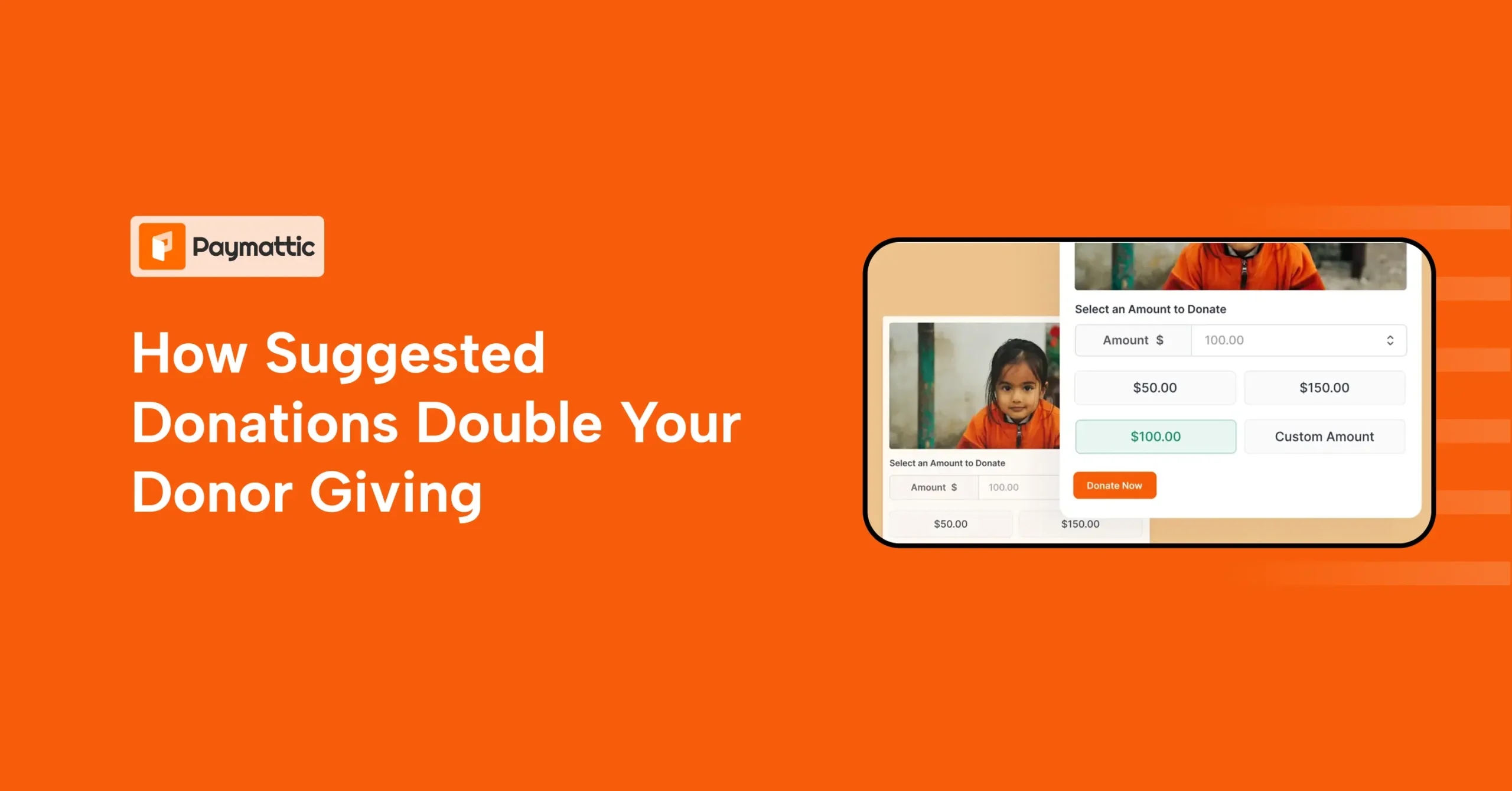
How Strategic Suggested Donation Doubles Your Donor Giving


Table of Content
Download Paymattic – it’s Free!

Subscribe To Get
WordPress Guides, Tips, and Tutorials
We will never spam you. We will only send you product updates and tips.
Most nonprofits spend weeks designing campaigns, writing emails, and crafting the perfect donation page. Then they leave the single most important question completely unanswered for their donors: “How much should I give?”
That silence is expensive.
When a donor visits your page without any guidance on the donation amount, they either default to the lowest number they can justify or they leave without giving at all.
Neither outcome is good for your mission.
Suggested donations fix this. When you strategically place numbers on your donation form, it can shift donor behavior and raise your average donation amount.
This post breaks down exactly how suggested donations work, why they work, and how to set them up perfectly in a way that actually moves the needle for your nonprofit.
Here are the key takeaways:
- Suggested donations remove the guesswork for donors, which directly increases your average donation amount and conversion rates.
- The psychology behind anchoring, social proof, and default bias means even small changes to your donation form layout can produce measurable results.
- Base your suggested donation amounts on real giving data, not assumptions. Your average gift size is the best starting point.
- Always connect donation amounts to tangible impact. “$50 feeds a family for a week” converts better than a standalone number.
- Keep your form simple: three to five tiers, one highlighted option, and always include a custom amount field.
What suggested donations are?
Suggested donations are pre-set giving amounts displayed on a donation form, campaign page, or fundraising email to guide donors on how much to give.
Instead of leaving donors to guess what an appropriate donation amount is, you give them clear, ready-to-click options.
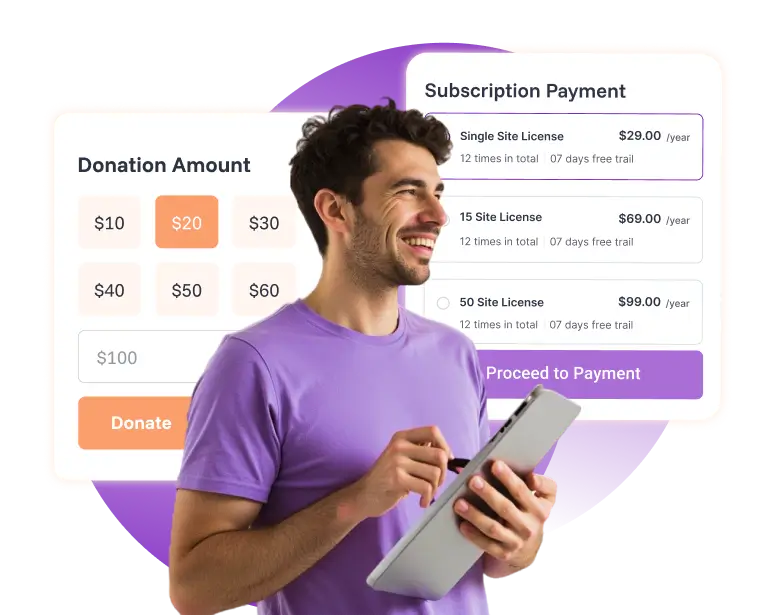
You’ve probably seen them everywhere. A nonprofit’s donation form might show these buttons: $25 | $50 | $100 | $250, with one pre-selected and a custom field at the end.
That simple layout is doing a lot of heavy lifting behind the scenes.
Why suggested donation work (Psychology explained)
There’s real behavioral science at work here. Understanding the psychology behind the suggested donation amount helps you use these tools more intentionally.
Anchoring effect
The first number a donor sees shapes how they think about what’s “normal.” If the lowest option on your form is $10, many donors will anchor to that.
But if you start at $25 or $50, their mental baseline shifts. This is called the anchoring effect, and it’s one of the most powerful tools in fundraising.
Decision simplification
When donors don’t know what is a good donation amount, they either guess low or abandon the form entirely. Suggested donation amount solves this by removing choice paralysis.
Interestingly, suggested amounts are a costless framing change for the fundraiser to implement and do not limit donors’ options, yet they have large, measurable effects on giving behavior.
Also worth noting: oddly specific amounts like $47 or $73 tend to outperform round numbers because they feel more calculated and credible, not arbitrary.
Social proof & implied norms
Suggested donation on a form quietly signals what other donors are giving. When someone sees “$100” highlighted as the most popular option, it tells them that others like them are choosing that amount.
One study found that when callers to a public broadcasting pledge drive were told a previous donor had given $75, $180, or $300. Citing a $300 donation increased renewing members’ donations by 29% on average.
The “Goldilocks” effect
When you present three or four suggested options, most donors instinctively choose the middle one. This is sometimes called the Goldilocks effect. It feels safe. Not too cheap. Not too extravagant.
Placing a strategically higher amount in the middle can quietly lift your average donation amount per person without anyone feeling pressured.
Default bias
People tend to go with whatever is pre-selected. If your form loads with $50 already highlighted, many donors will just click “Donate” without changing it.
Research confirmed that highlighting a single suggested donation amount helps donors quickly understand what’s typical or impactful, and simply adding this design cue led to a 1.3% increase in total donation volume.
Key benefits of offering a suggested donation amount
Using suggested donation amounts isn’t just about making your form look neat. It directly affects your fundraising outcomes.
Increases average gift size
When donors are anchored to higher starting amounts, they naturally give more. According to the 2025 Virtuous Nonprofit Benchmark Report, nonprofits achieved an average gift amount of $136, while those in the top quartile consistently achieved average gifts of $516.
Improves conversion rates
A donor who isn’t confused is a donor who completes the form. Suggested amounts reduce friction at the most critical moment in the giving journey.
Speeds up decision-making
Instead of a donor spending two minutes wondering what a monetary donation of theirs should look like, they see clear options, make a fast choice, and move on. Speed equals more completions.
Enhances donor experience
Nobody likes feeling awkward about money. Suggested donation and preset amounts take the guesswork out and make the giving experience feel natural. That’s good for your donors and good for your retention rates.
How to choose the right suggested donation amounts
So, how do you actually pick the right numbers? Here’s what works.
Use the 3–5 tier rule
More options create more confusion. Stick to three to five suggested amounts to keep the decision simple. Research shows that the vast majority of top nonprofits used an approach that included four to five suggested donations paired with the option to enter a custom amount.
Apply anchoring strategically
Always include at least one “stretch” option that’s noticeably higher than the others. Most donors won’t choose it, but it makes the middle option feel more reasonable by comparison.
Base amounts on real data
Don’t guess. Look at your past donation history and use your actual average donation amount as a reference point.
If you want to increase your average gift size, structure suggested donations around or slightly above your current average, using that amount as your mid-tier option.
Different donor segments also warrant different amounts, so consider building separate forms for new vs. returning donors.
Avoid making mistakes while creating your donation forms.
Match amounts to impact
This is one of the most effective ways to approach asking for a suggested donation. Instead of just showing a number, connect it to something real.
“$25 buys school supplies for a child” is far more motivating than “$25” alone. When a donor understands what their money does, giving feels meaningful rather than transactional.
Best practices for structuring suggested donations
Start with a mid-range default
Pre-select something in the middle of your range, not the lowest option. Many donors will go with whatever is highlighted, so make sure the default is a number you’re comfortable with.
Highlight one recommended option
Different types of donors have different thoughts. Use a visual cue, such as a colored border, a “Most Popular” tag, or bold text, to draw attention to a specific amount.
Highlighting a single value can increase giving intent by providing clearer context and guidance, helping donors understand what’s typical or impactful.
Always include a custom amount field
Never limit your donors by not including a custom amount field. Some people want to give $37. Some want to give $500. Let them. A custom field respects donor autonomy and can capture gifts you’d otherwise miss.
Keep the UI clean and mobile-friendly
Buttons beat dropdown always. On mobile, large tap-friendly buttons make the giving process effortless. A clunky form is a form that doesn’t get completed.
The majority of donors, about 63%, prefer to give online with a credit or debit card(National Philanthropic Trust), which means your digital experience matters more than ever.
Suggested donation examples that work
Still wondering what this looks like in practice? Here are three real-world setups.
Entry-level campaign example
Perfect for community drives or first-time donor campaigns.
$10 | $25 | $50 | $100 (with $25 pre-selected)
This range feels accessible and isn’t intimidating for new donors.
Mid-level donor campaign
For email campaigns, go to your existing donor base.
$50 | $100 | $250 | $500 (with $100 pre-selected)
When you know they have given before, you know your donor psychology, and you can anchor higher with confidence.
Impact-based example
This is the format that tends to convert best when you know how to ask for a donation in a compelling way.
- $20 covers school supplies for one student
- $50 provides meals for a family for a week
- $100 sponsors a child’s after-school program for a month
Each amount tells a story. That’s the goal.
Wrapping up
When you understand the suggested donation’s meaning, you know it’s not just a design choice. It’s a fundraising strategy.
You’re using behavioral psychology, real data, and donor empathy to create a better giving experience that leads to higher gifts.
Whether you’re running your first campaign or refining a strategy you’ve had for years, start simple. Review your average donation amount, set three to five tiers, anchor strategically, and connect each amount to real impact.
FAQs
Ques: How many suggested donation tiers should I offer?
Ans: Stick to three to five tiers. Research shows that most top nonprofits use four to five suggested amounts paired with a custom amount field.
Ques: Should I always include a custom amount field?
Ans: Yes, always. A custom field respects donor autonomy and captures gifts you’d otherwise miss.
Ques: Should I pre-select a donation amount?
Ans: Yes. Pre-select a mid-range option. Many donors simply go with whatever is already highlighted without changing it.
Ques: Do oddly specific amounts work better than round numbers?
Ans: Yes, amounts like $47 or $73 tend to outperform round numbers because they feel more calculated and credible rather than arbitrary.
Join the thousands already enjoying Paymattic Pro!

Tipu Deb
Hey! Tipu here, working as a Marketing Strategist at WPManageNinja & Paymattic. A nature lover and a person who is addicted to exploring historical events. In my leisure, you’ll find me playing with different musical instruments.
Leave a Reply