

How to Collect Donations Online For Your Non-profit?


Table of Content
Download Paymattic – it’s Free!

Subscribe To Get
WordPress Guides, Tips, and Tutorials
We will never spam you. We will only send you product updates and tips.
Most nonprofits have a fundraising website. Far fewer have an online giving setup that actually converts.
A donate button buried in the footer, a clunky form that breaks on mobile, and no recurring giving option; these aren’t small issues. They’re the difference between a donor who gives and one who closes the tab.
This guide walks you through how to collect donations online the right way, from the strategies that drive consistent giving to setting up the right tools on your WordPress site.
TL;DR
Online donations are no longer optional for nonprofits; they’re where donors are. This guide breaks down how to set up, run, and improve your online donation process from scratch.
– You need a few things in place before you start: a nonprofit status, a dedicated donation page, a payment gateway account, and a donation plugin
– A donation page that explains your cause and shows real impact converts better than a form dropped onto a random page
– Recurring giving should be front and center on your form. Monthly donors are worth far more over time than one-time givers
– A WordPress donation plugin like Paymattic keeps everything: forms, payments, donor data, and reports, in one place without extra tools or subscriptions
– Supporting multiple payment methods (cards, PayPal, bank transfer, offline) removes friction and helps you reach more donors
– Email is still one of the most effective fundraising channels. A welcome email, impact updates, and a year-end campaign go a long way
– Short forms, suggested donation amounts, mobile optimization, and a strong thank-you page all push your conversion rate up
– Test your own donation flow end-to-end; most friction points are only obvious once you go through the process yourself
Why online donations matter more than ever?
Online giving isn’t a “nice to have” anymore. It’s where the majority of donors are.
According to recent nonprofit fundraising data, online donations have been growing year over year, with mobile giving alone accounting for a significant portion of total online revenue. Donors increasingly expect to give on their own terms from their phones, at midnight, without having to mail a check or attend an event.
Here’s what that means for your nonprofit:
- More giving happens online than ever before, and that gap widens every year
- Younger donors give digitally by default. Gen Z and Millennials rarely carry checkbooks
- Online giving scales, a well-built donation page can work for you 24/7 without additional staff
- Recurring donors give more over time, and online tools make recurring giving easy to set up and manage
If your online donation setup isn’t working properly, you’re not just missing convenience; you’re losing real revenue.
What do you need before you start collecting donations online?
Non-profit organizations and charities are always looking for creative ways to drive into online giving. Before you install anything or build a form, make sure you have these foundations in place.
A legitimate nonprofit status
Donors want to know their gift is tax-deductible. Make sure your 501(c)(3) status (or equivalent in your country) is sorted before you go public with fundraising.
Organize your donation website
Not a sidebar widget. Not a footer link. A full page that explains your cause, shows impact, and gives donors a clear reason to give before they see the form.
Pick a dedicated fundraising tool
This is what ties everything together. A good plugin lets you build forms, accept multiple payment methods, enable recurring giving, and track donor data, all from your WordPress dashboard. Paymattic handles all of this without needing a developer
A payment gateway account
A payment processor works as a middleman between the organizer and contributors. You’ll need an account with a payment processor. You may find various tools on the market. We listed down some of the most popular payment procedures among them:
- Stripe
- Paypal
- Mollie
- Authorize.net
Basic donor communication set up
At minimum: an automated thank-you email after each donation. Donors who feel acknowledged are far more likely to give again.
Once these are in place, you’re ready to build.
How to collect donations online – 7 strategies that actually work
Setting up an online donation page is just the starting point. What actually brings in consistent donations is a combination of smart strategies working together, the right tools, the right messaging, and the right experience for your donors.
Here are the 7 strategies that actually work.
1. Build a dedicated donation page
A form dropped onto a random page won’t perform. A dedicated donation page with your mission, real impact numbers, and a compelling ask converts.
Your donation page should answer three things before the donor ever sees the form:
- Who you are and what you do
- What their donation actually does (be specific, “feeds 10 families for a week” beats “supports our mission”)
- Why now urgency matters, whether it’s a campaign deadline, a matching gift, or a seasonal need
Keep the page focused. No navigation distractions, no long blocks of text. Lead with impact, then let the form close the deal.
2. Offer recurring giving options
One-time donors are valuable. Recurring donors are transformational.
A donor who gives $25 once is worth $25. A donor who gives $25/month is worth $300 a year, and they’re far more likely to increase their gift over time.
Make recurring giving the default or the most prominently presented option on your donation form. Many donors will choose it simply because it’s there and easy. If they have to hunt for it, most won’t bother.
3. Use a donation plugin to manage everything in one place
Running your donation operation across multiple disconnected tools is a nightmare, and it’s expensive. A solid donation plugin for WordPress brings everything under one roof.
Paymattic is built specifically for this. It handles donation forms, payment gateway connections, recurring giving, donor management, and campaign reporting, all inside WordPress.
What makes it practical for nonprofits:
- Works with Stripe, PayPal, and several other payment gateways
- Supports both one-time and recurring donations out of the box
- Tracks donor history and generates reports you can actually use
- Free plan available, no pressure to go Pro until you need advanced features
No separate CRM subscription. No monthly SaaS fee just to accept a donation. It lives where your website already lives.
4. Accept multiple payment methods
Not every donor pays the same way. Some prefer credit cards. Others use PayPal, bank transfers, or even offline payments.
The more friction you remove, the more donations you collect. Support as many payment methods as your platform allows and make sure the experience works on mobile, because a large portion of your donors will give from their phones.
Paymattic supports multiple payment gateways, including Stripe, PayPal, Razorpay, Payrexx, and more, including an offline payment option for donors who prefer to pay by check or bank transfer.
5. Run email campaigns specifically for donors
Email is still one of the highest-ROI channels for nonprofit fundraising, and most organizations underuse it.
You don’t need a complex automation stack to start. A few high-impact emails go a long way:
- Welcome email for new donors (sent immediately after first gift)
- Impact update shows donors what their money did (quarterly or after a campaign)
- Re-engagement email for lapsed donors who haven’t given in 6–12 months
- Year-end campaign, the last quarter drives a disproportionate amount of annual giving
Keep emails personal and specific. “You helped feed 47 families last month” is more powerful than “thanks for your donation.”
6. Use social proof and campaign progress indicators
Donors are more likely to give when they see others giving.
A few ways to build social proof into your donation page:
- A fundraising progress bar showing how close you are to a goal creates urgency and momentum
- Recent donor feed “Sarah just donated $50” adds real-time energy to a campaign
- Testimonials or impact stories from people your nonprofit has helped
These aren’t gimmicks. They’re proven conversion drivers because they answer the question every donor subconsciously asks: “Is this worth it? Is anyone else doing this?”
7. Launch a Peer-to-Peer fundraising push
Your most loyal donors are also your best potential fundraisers; they just need a nudge.
Peer-to-peer fundraising means your supporters create their own fundraising pages and share them with their networks on your behalf. It’s one of the most effective ways to expand your reach without expanding your marketing budget.
To make it work:
- Give supporters a simple template they can personalize
- Set a clear campaign goal and deadline
- Check in with your top fundraisers and celebrate their milestones publicly
The key is making it easy. If the process to set up a personal fundraising page takes more than five minutes, most people won’t do it.
Tips to increase your online donation conversion rate
Getting traffic to your donation page is only half the job. Here’s how to make sure more of those visitors actually give.
Show suggested donation amounts: Pre-set amounts ($10, $25, $50, $100) reduce decision fatigue and tend to increase average gift size. Anchor your middle option at the amount you’d most like donors to choose.
Keep your form short: Name, email, amount, payment. That’s it for a first-time donor. The more fields you add, the more drop-off you’ll see. You can collect more information after the donation.
Optimize for mobile: More than half of nonprofit website traffic comes from mobile devices. If your donation form doesn’t load clean and fast on a phone, you’re losing donors. Test it yourself before you launch.
Add a strong thank-you page: Don’t send donors to a generic “payment confirmed” screen. Use the thank-you page to reinforce their impact, invite them to follow you on social media, or share the campaign with friends.
Test your donation flow end-to-end: Make a real donation to your own page. See exactly what the donor experience looks like, from the form to the confirmation email. Most nonprofits skip this and miss obvious friction points.
Collect online donations with Paymattic
Collecting donations online with Paymattic is a matter of minutes! Just follow the steps mentioned below and start collecting online donations with Paymattic.
- First, you have to install Paymattic. For this search, Paymattic from your WordPress dashboard, then simply install and activate this plugin.

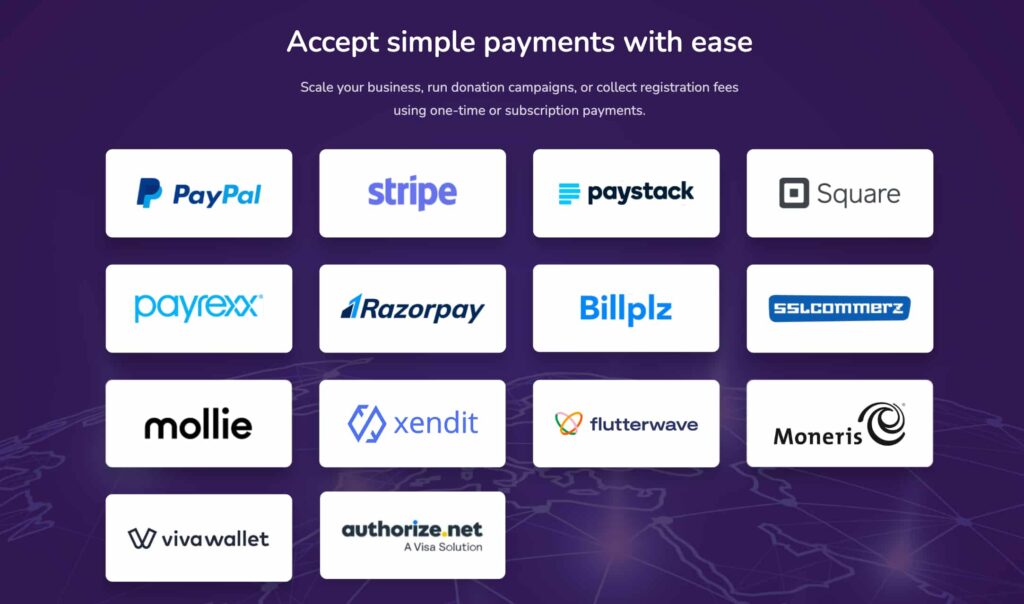
- After that, you need to configure a payment gateway to collect donations online. Paymattic allows you to raise funds with 13+ payment methods, and even accept offline payments.
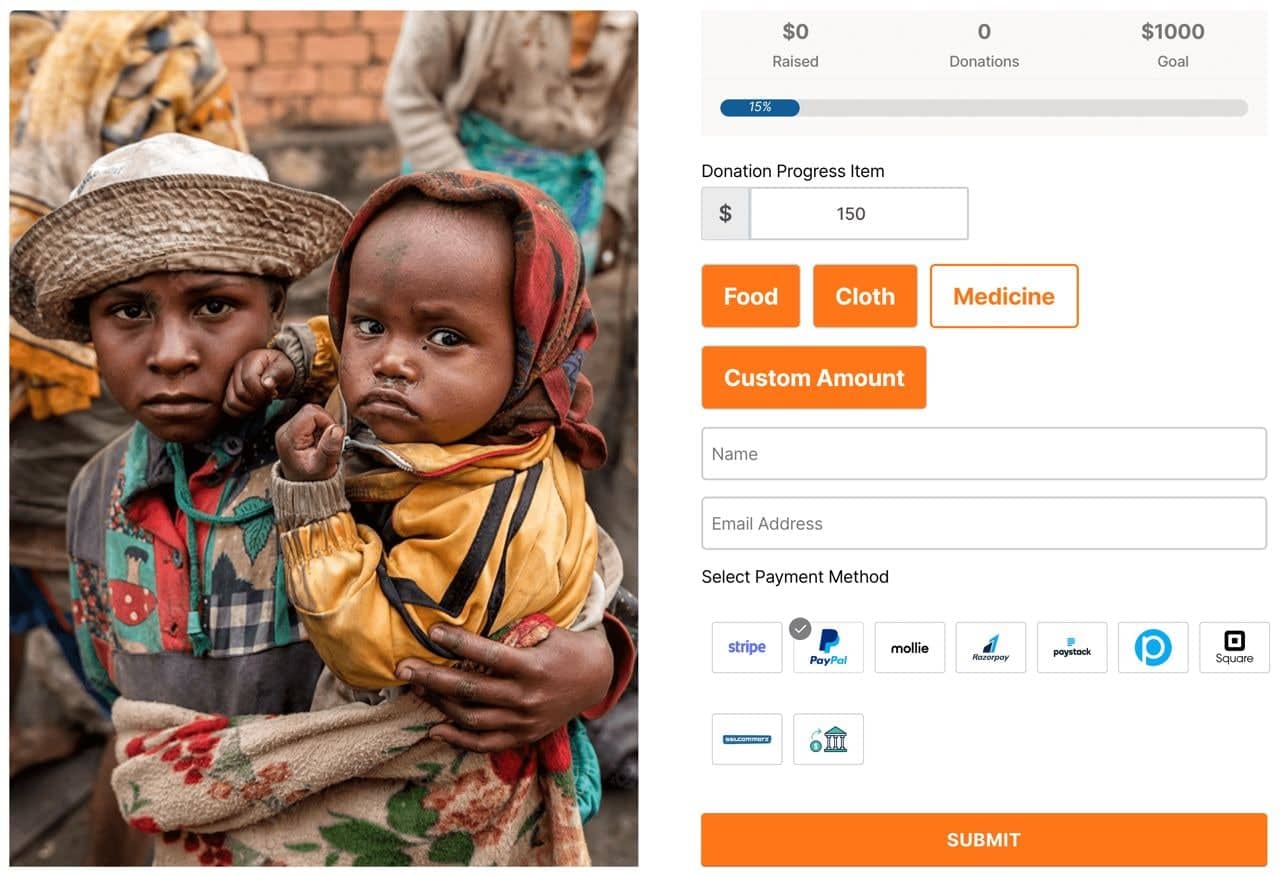
- Now you have to create a donation form. Paymattic lets you build an eye-catching donation form with just a few clicks.
- As you are running a fundraising campaign, monitor your campaign activities with the Paymattic detailed reports feature.

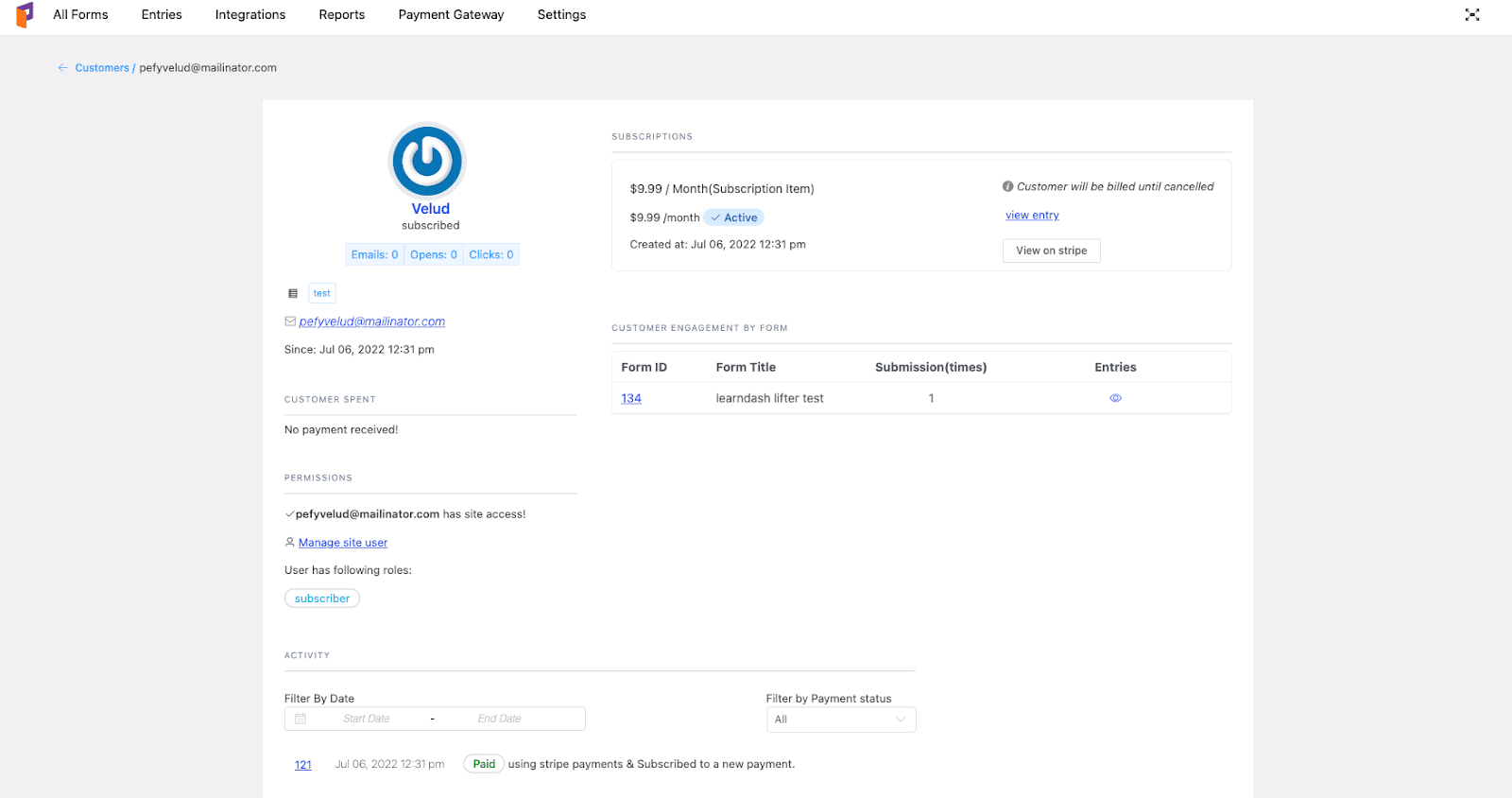
- At last, Paymattic is able to provide you with all the basic information about your donor who has already contributed to your campaign.
That’s all! With these steps, you can easily accept online donations with Paymattic.
Want to learn the process of creating donation form with Paymattic? Then click here.
Ready to get started?
Experience payments and donations for WordPress like never before. Try Paymattic now!
Experience the best ways to accept donations online
As the world becomes more and more technologically updated, giving donations online becomes the most preferred method. If you start fundraising by implementing proper ways, then you can increase funding and also be able to give support to your charitable work in the future.
How can we help?
Moreover, with Paymattic, you can securely collect online payments because it uses multi-layer security to protect your site. Not just that, this plugin is also enriched with all fundraising features that you may need to raise funds online.
Find out how Paymattic can help you to collect offline donations along with online ones.
So what are you looking for?
Try Paymattic today and experience the most flawless fundraising journey.
Join the thousands already enjoying Paymattic Pro!

Madhobi
This is Madhobi, a content writer at WPManageNinja with expertise in technical writing and email marketing. Outside of work, she likes traveling and exploring new places.
Leave a Reply